When you create or edit an API key, you can narrow its scope and add restrictions. These are available in both the dashboard and the API.
Setting restrictions in the Dashboard
All three restrictions are configurable in the Create and Edit API Key modals.
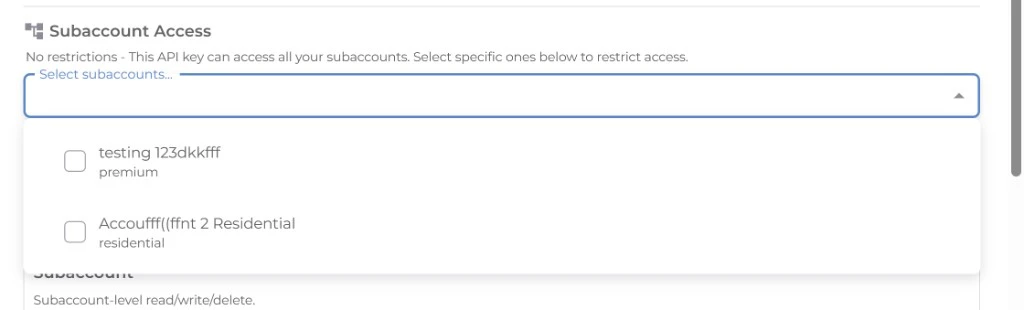
Subaccount access
The Subaccount Access dropdown lets you select which subaccounts the key can act on. Each subaccount is shown with its label and a color-coded chip indicating the product type (e.g. datacenter, residential). Leave the selection empty to allow access to all subaccounts.
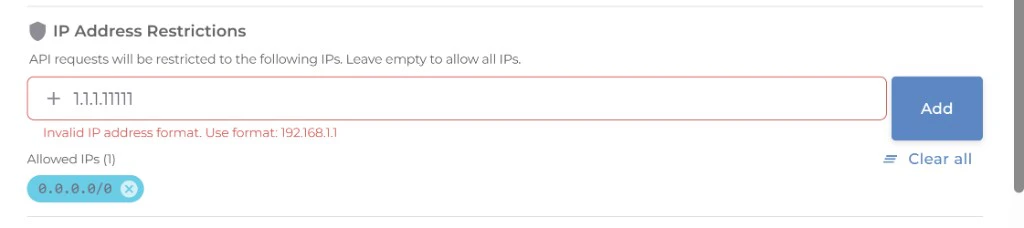
IP restrictions
The IP Restrictions field lets you add one or more IPv4/IPv6 addresses or CIDR ranges (e.g. 192.168.1.0/24). When set, only requests from these IPs can use the key.
If you set IP restrictions, make sure your deployment IPs (or CIDR) are included, or requests from those IPs will fail with 403.
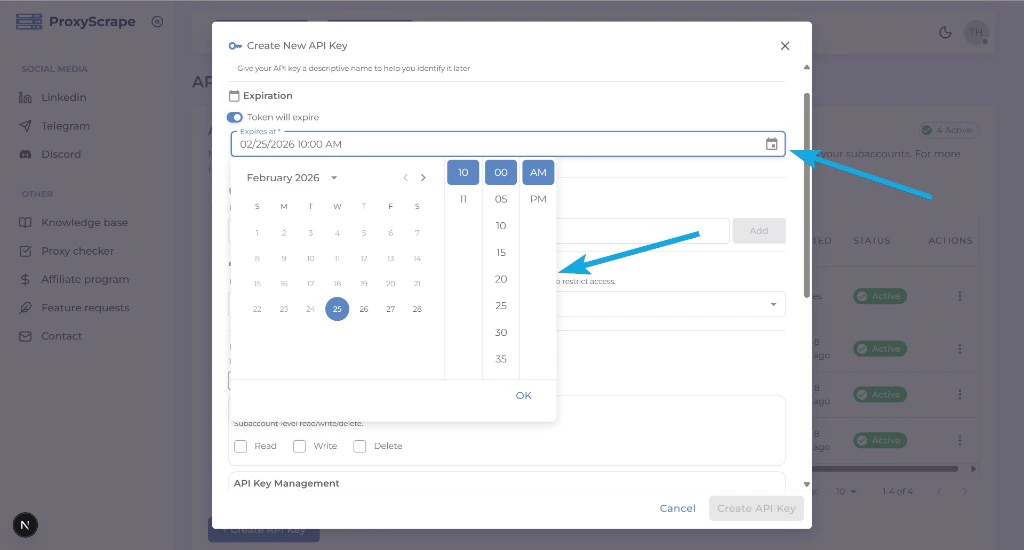
Expiration
Toggle Expiration on to set a date and time after which the key automatically becomes invalid. Useful for temporary keys (e.g. short-lived automation or contractor access).
API field reference
When creating or updating keys via the API, these fields control scope and restrictions:
allowed_subaccounts
- Type: array of strings (subaccount IDs), or empty/omitted.
- Meaning: Limits which subaccounts the key can act on. Only relevant when the key is used in a context that has multiple subaccounts.
- Empty or omitted: The key can act on all subaccounts the creator can access.
- Non-empty: The key can act only on the listed subaccount IDs. Requests for other subaccounts will be denied (e.g. 403).
allowed_ips
- Type: array of strings. Each string is a single IPv4/IPv6 address or a CIDR block (e.g.
192.168.1.0/24).
- Meaning: Restricts which client IPs can use this key. Requests from other IPs receive 403.
- Omitted or empty: No IP restriction; the key can be used from any IP.
expires_at
- Type: integer (Unix timestamp) or
null. Optional; must be in the future. Omitted is treated as no expiry.
- Meaning: After this time, the key is invalid and requests using it receive 401.
null or omitted: The key does not expire unless you revoke or regenerate it.
Use expires_at for temporary keys (e.g. short-lived automation or contractors) to avoid having to remember to revoke them.